
Tech Review: DuckLake - From Parquet to Powerhouse
Exploring how this sleek lakehouse solution delivers enterprise grade features with startling simplicity

Hey y’all, the following is a data technology review I put out in the middle of each week. I span the entire Data Stack and review cool Data and AI tech I like.
If you have a tool or a suggestion for a tool to have reviewed feel free to DM me!
Not Subscribed? Come join! ⊂(◉‿◉)つ
Let me start by saying I’ve explored DuckLake before. I even created a YouTube video about it that became my channel’s best performer to date. However, that video was quite basic, just covering DuckLake’s quick start guide. I wanted to revisit DuckLake and write a more comprehensive tech review for my subscribers. This time, I aim to dive deeper into what DuckLake offers and explore the next steps beyond simply installing it and running a few basic examples.
* Note: We are using the DuckLake CLI for all the below scripts
OK, let’s dive in here.
What problem does DuckLake solve?
Traditional data lakehouses like Apache Iceberg require extensive infrastructure setup, complex configurations, and specialized knowledge to implement ACID transactions, time travel, and schema evolution. DuckLake eliminates this complexity by providing enterprise grade lakehouse features (including versioning, atomic updates, and metadata management) through a simple, open-source format built on Parquet files, DuckDB and standard SQL databases. It delivers the power of a full lakehouse architecture without the operational overhead, making advanced data management accessible to teams of any size without requiring clusters, servers, or complicated engineering pipelines.
Some important points about DuckLake:
Simplified Data Lake Format: DuckLake provides advanced data lake capabilities without the typical complexity of traditional lakehouses.
Built on Open Standards: It leverages Parquet files and SQL, making it compatible with existing data tools and workflows.
Flexible Metadata Storage: Supports multiple backends including DuckDB, SQLite, PostgreSQL, and MySQL for metadata management.
Integration with DuckDB Ecosystem: Created by the DuckDB team, it works seamlessly with DuckDB and MotherDuck for analytical workloads.
Data Versioning and Time Travel: Offers ACID transactions and version control capabilities for your data.
Schema Evolution: Supports evolving your data schema over time without breaking existing queries.
Let’s install DuckLake
We will start on the quick install page:
As you can see installing DuckLake is very straightforward. There are multiple ways to store the metadata for the DuckLake. We will be using the DuckDB option here, but you can also do SQLight, postgres or MySQL. Using the DuckDB option lets us move quickly and locally.
You need to make sure that DuckDB is actually installed on your computer or DuckLake will immediately give you an error.
Install here: https://duckdb.org/install/?platform=macos&environment=cli*
Start up DuckDB
Make sure you type “duckdb” into your terminal to start a duckdb session. That session will open a prompt in your terminal where you can then install ducklake.
duckdbCreate a DuckLake instance
From here we’re going to use the INSTALL and ATTACH command to create a DuckLake instance and point to a local data set I use for testing tools. The data set is already clean and perfect on purpose so it might not represent what an actual data set looks like, but it will be very useful for this review.
INSTALL ducklake;
ATTACH 'ducklake:my_ducklake.ducklake' AS my_ducklake;
USE my_ducklake;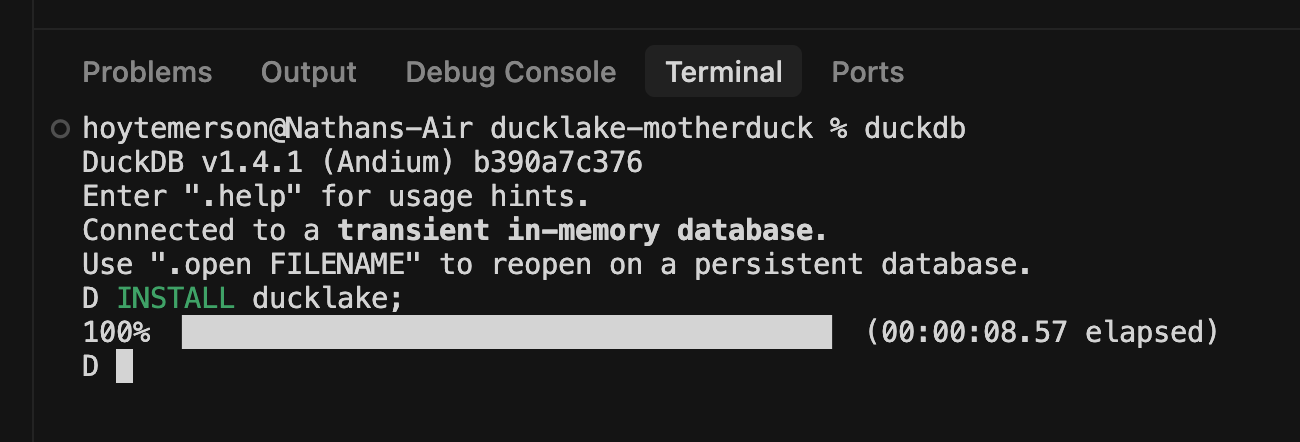
What just happened here? We attached a DuckLake instance to our current directory and then the called the USE command so that we don’t have to use the original prefix of the DuckLake moving forward. That just makes things easier.
What I really love about DuckDB and DuckLake is the way you can just attach a database instance or a DuckLake instance here. At the command line, this is just incredibly smooth. And it is the beginning of a very, very nice dev experience that we will see throughout this review.
Create a DuckLake table
Creating a table is very straight forward syntax wise. The cool part being you can just pass a local path to the data you want to insert into the table.
CREATE TABLE streaming_data
AS
FROM 'path_to_data';
What happens above is that a data folder and parquets are created where the data can now be read. What is so awesome about this is that I pointed it to a local CSV. You’ll note that at no point did I have to declare the file type in the query. I just wrote a CREATE TABLE statement and then added the path to the local files. DuckLake is figuring out what the file format is then converting and parsing automatically. That’s the kind of detail that makes DuckLake so awesome.
Reading from a DuckLake Table
For a very quick glance, you can look that actual parquet files that were created
FROM glob('my_ducklake.ducklake.files/**/*');
FROM 'my_ducklake.ducklake.files/**/*.parquet' LIMIT 10;
The first line will just show us the list of parquets that are in the new data file folder. Right now there’s only one. The second line, however, will actually return the head of the data set that we inserted into the table. So we get a read out of the data itself right in the terminal, which is very cool.
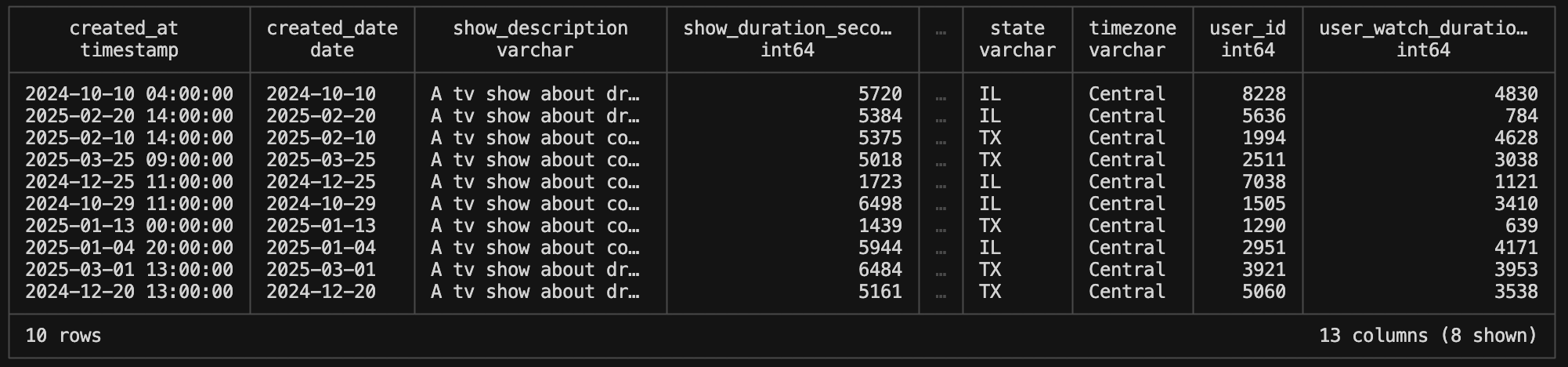
Now let me read just a couple columns from the data so we can do some initial quality checks. Here it just takes standard SQL (with DuckDB syntax).
SELECT show_id, show_name
FROM 'my_ducklake.ducklake.files/**/*.parquet'
WHERE show_name = 'Friends'  LIMIT 10;
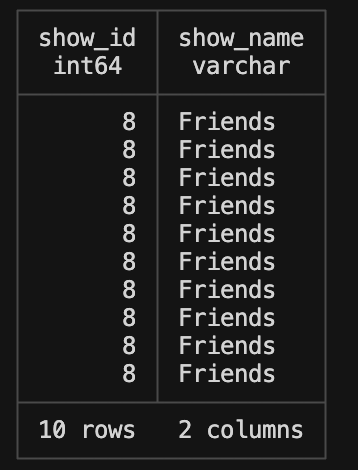
For reference, the data here is a synthesized data set that is meant to reproduce user streaming habits on a make-believe streaming site. What we’re doing in the above query is checking what the show ID is for the show name ‘Friends’. Let’s pretend that Friends has an incorrect show ID for whatever reason. This next part is a thing of beauty. This is where we will change data to update a row.
UPDATE streaming_data
SET show_id = 11
WHERE show_name = 'Friends';
Then we can update a new SELECT statement to see if the changes have been made.
SELECT show_id, show_name
FROM streaming_data
WHERE show_name = 'Friends' LIMIT 10;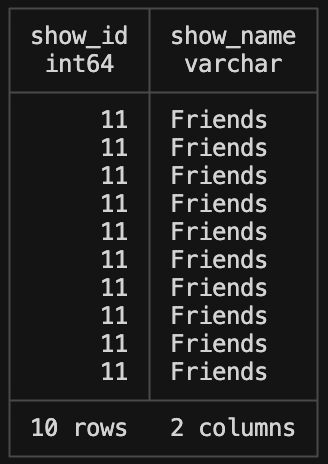
Man, I mean, that is really really cool. It makes something normally pretty difficult absurdly easy over a Parquet file. When you think about how Parquet files are small and can be stored in a folder somewhere, I think you start to have the “a ha” moment of exactly what DuckLake offers. The infrastructure, at this point, is incredibly light. It’s hard to overstate. We’re talking about the ability to read an incredibly small file like a Parquet and run updates, reads and inserts with it. This is the thing that just blows me away and I love about this technology.
Reading DuckLake Snapshots
We can read columns from DuckLake snapshots with just a query we put into the terminal:
FROM ducklake_snapshots('my_ducklake');
What’s really cool here and different than say just looking at a DuckDB instance is the snapshots. This is the metadata that a data lakehouse incorporates. It’s how it handles ACID transactions and other complicated procedures. It is essentially the heart of a lakehouse. I will know that at this point of me doing the review. I am not sure if Apache iceberg has gotten any less annoying to set up, but I’m not gonna go check because I don’t care that much because I think DuckLake is the tool that will meet the needs that I have with my data volumes.
We can update the query to look at specific versions of snapshots (time travel!). For example, this looks at version 1 which when we first inserted the data. In this version, Friends still has the id of 8.
SELECT show_id, show_name
FROM streaming_data AT (VERSION => 1)
WHERE show_name = 'Friends';
Move the version up to ‘2’ and the show id for Friends is now 11.
SELECT show_id, show_name
FROM streaming_data AT (VERSION => 2)
WHERE show_name = 'Friends';
The snapshot queries above are really valuable for several reasons:
Time travel capabilities: Being able to query data as it existed at different points in time is powerful for auditing, debugging, and understanding data evolution.
Data lineage and governance: These snapshots provide clear documentation of when and how data changed, which is crucial for compliance and governance requirements.
Error recovery: If a mistake is made during data updates (like updating the wrong records), you can easily identify the issue by comparing snapshots and potentially roll back to a previous version.
Historical analysis: Data scientists and analysts can run comparative analyses across different time periods using the exact state of data at those points.
Simplified architecture: Traditional systems often require complex ETL pipelines to maintain historical versions of data. With DuckLake’s built-in versioning, this complexity is eliminated.
What makes this particularly impressive is how DuckLake provides these advanced features with such a simple interface. AMAZING!
Adding Columns to DuckLake
Adding a column is just an ALTER TABLE statement.
ALTER TABLE streaming_data ADD COLUMN new_column INTEGER;You should have the gist now of how to do SELECT statements with DuckLake. See below that the new column is now there. I’m just going to reiterate here that this is being done with a folder of parquet files, not a relational table. I continue to be so impressed.
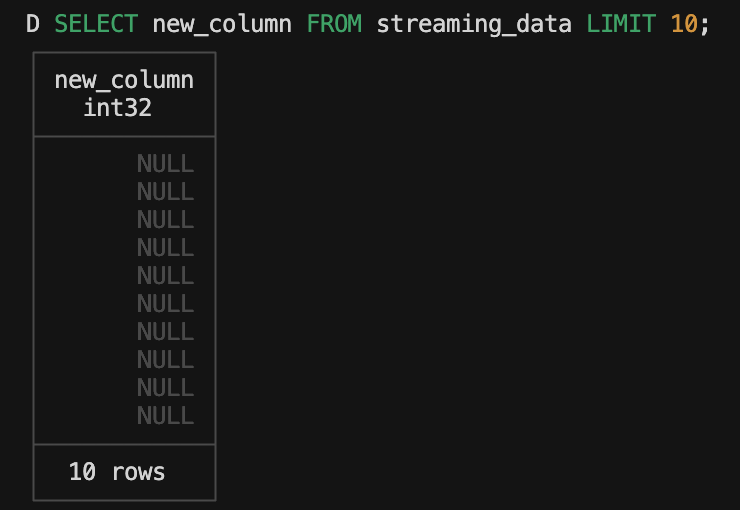
Dropping a columns is the exactly what you’d expect.
ALTER TABLE streaming_data DROP COLUMN new_column;Let’s create a new column again, but give it a default value this time.
ALTER TABLE streaming_data ADD COLUMN new_column VARCHAR DEFAULT 'my_default';Now let’s go look at the snapshots again. You’ll see the new snapshots created for our ALTER TABLE statements.

The problem here is that the “changes” column doesn’t really give us much information. How can we make these snapshots more informative? I added a couple other columns that are in the snapshot that are currently NULL, Author and Commit Message. Let’s make another update to the DuckLake with a commit message this time.
To do this, we are going to use the BEGIN statement to create a transaction. This allows us to make a change and add commit message metadata. We then end it with the COMMIT command to get that metadata in the snapshot.
-- Begin Transaction
BEGIN;
ALTER TABLE streaming_data ADD COLUMN new_column_1 VARCHAR DEFAULT 'my_default_2';
CALL my_ducklake.set_commit_message('Hoyt', 'Added new default column', extra_info => '{''foo'': 7, ''bar'': 10}');
COMMIT;
-- End transaction
And voila! Just like that we now have pertinent info about what the ALTER TABLE change did!

PEOPLE! This is incredibly powerful stuff. When you think about the nitty gritty of what a Lake House will need to be successful (ACID transactions, time travel, commit history) it’s all right here. And fully open source. 🤯
Partitioning a DuckLake
For the most part, partitioning is usually unnecessary unless you hit an amount of data that causes performance loss. Plus, when it comes to Lakehouse concepts like Delta Lake and DuckLake, you can experience the “small file problem” where you have too many partitioned parquets to scan through to get data.
That said, DuckLake does allow for partitioning! DuckLake defaults to Hive style partitioning which is the same as Delta Lake.
My preferred way to partition is by year/moth from a timestamp column.
ALTER TABLE streaming_data SET PARTITIONED BY (year(created_at), month(created_at));Partitioning a table will not update the data in the current parquets. It is only when you add more data that it will be partitioned. I have a second dataset that we can INSERT to see this in action.
First let’s DROP all those dummy columns I made before or I’ll get mismatched column counts when I INSERT new data. SO EASY TO DO!
ALTER TABLE streaming_data DROP COLUMN new_column;
ALTER TABLE streaming_data DROP COLUMN new_column_1;
Now we can add in more data without a schema mismatch:
-- Begin transaction
BEGIN;
INSERT INTO streaming_data SELECT * FROM read_csv('path/to/data');
COMMIT;
-- End transaction
If you look at your folder tree now you will see that new data in folder called “year=2025” with sub-folder to the month number.
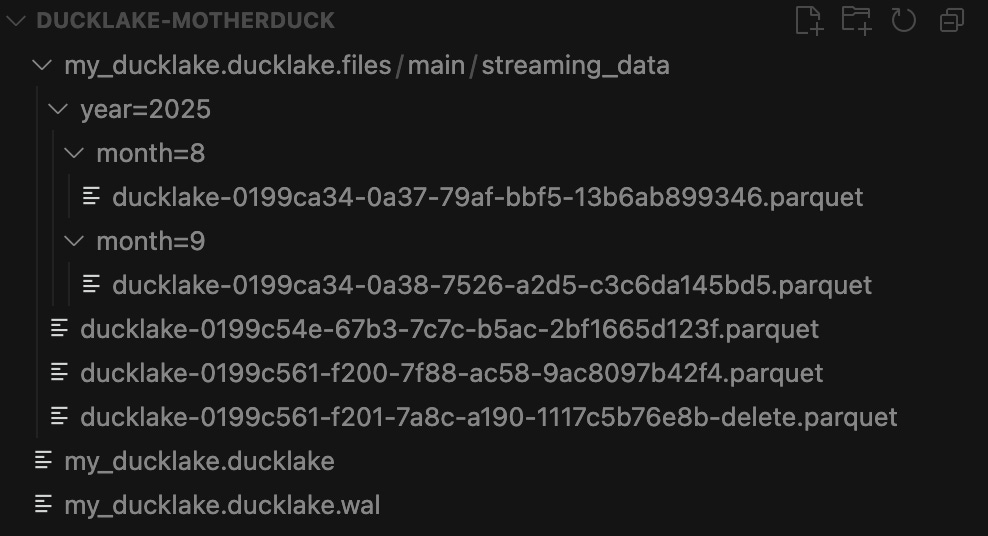
And Just like that, you have partitioned data!
Conclusion
I’ve gone well beyond the quick start to see just how powerful this technology is. What stands out most is how DuckLake manages to combine the performance benefits of Parquet files with the flexibility and reliability of traditional database systems. All while keeping the infrastructure requirements minimal.
The ability to perform ACID transactions, execute SQL updates, and add/remove columns on what are essentially folders of Parquet files feels almost magical. Add in the robust time travel capabilities through snapshots and the intuitive commit history tracking, and you have a data lakehouse solution that’s both powerful and accessible.
For data teams who have struggled with the complexity of setting up Apache Iceberg or other lakehouse architectures, DuckLake provides a refreshingly straightforward alternative. Its compatibility with MotherDuck and standard SQL syntax means the learning curve is remarkably low for such a powerful tool.
As data volumes continue to grow and organizations seek more efficient ways to store, manage, and analyze their information, solutions like DuckLake will become increasingly valuable. The ability to maintain data integrity, track changes, and partition efficiently without complex infrastructure makes it an excellent choice for teams of all sizes.
DuckLake represents a significant step forward in making lakehouse architecture accessible to more users. Its combination of simplicity, performance, and robust features makes it a technology worth watching. And, more importantly, worth implementing in your data stack.
Brilliant!